




Ivybet App
If you’re looking for a more user-friendly version of our website that works on any device, try the Ivybet app. It’s a web-based solution that takes into account all of our users’ needs for interface, loading speed and many other features. This lightweight application installs in seconds and lets you have your favorite games right in your pocket.



Key Features of Ivybet App
The Ivybet app perfectly meets the needs of those who prefer large screens and those who keep all their important information on their phones. No matter which option you choose, you will have a great time.
- Ease of access – To enjoy a comfortable mobile casino experience, you don’t need to download a large APK file. PWAs are based on web technologies (HTML, CSS, JavaScript) and use service workers and web app manifests. That’s why installation is simple.
- Security – You don’t have to worry that someone might hack into your account. The Ivybet Casino app uses modern tools to protect your data, such as firewalls and TLS. Plus, just like on the website, you can also set up access controls and responsible gaming settings.
- Cross-platform compatibility – There’s no need to choose between mobile devices and desktops to use our platform. Our solution is available on all of them. Also, your account syncs across all devices, so you can easily switch between them whenever you need to.
- Personalization – Just like our website, the Ivybet app remembers your preferences. So you can find game recommendations based on your interests. Our application also saves your chosen payment methods, so you won’t have to re-enter your billing details.
What’s more, you can customize Ivy Bet notifications on mobile and desktop versions. Thanks to this, you can stay informed about our special promotions and your progress.
Key Differences Between the PWA Experience and Desktop Play
There’s a good reason why the Ivybet Casino app has been installed over a million times. Its user-friendly features add an extra level of comfort to an already smooth gaming experience.
| Ivy Bet App Features | Mobile Use | Desktop Use |
| Full-screen mode | Looks like a mobile application | Looks like a native software |
| Controls | Supports touch interface and gestures | Full control via clicks, scrolling |
| Interface | Displays all key elements on mobile phones and tablets | Optimized for wide screens and different resolutions |
| Launch | App icon in the phone menu | Desktop shortcut |
| System integration | Android, iOS | Windows, Mac, Linux |
You can access all these features with just a single click. You don’t need to sign up on our platform in advance – you can do it right in the Ivybet Casino app. The registration process is just as simple.
Ivybet App for Phones and Tablets
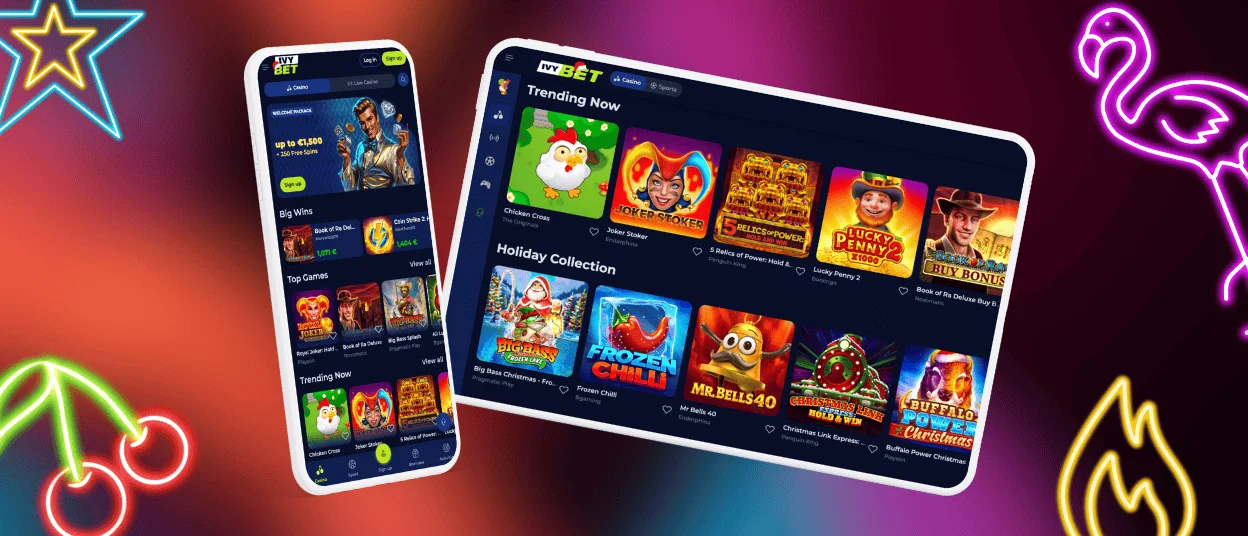
Mobile devices are convenient because they’re always at your fingertips and don’t restrict you to a specific location. So you can use the Ivybet app on any smartphone or tablet. You don’t need to update it manually every time – all changes are applied automatically in the background.
Also, no matter how you access our platform, all 6,000+ titles from our library are available to you. There are no restrictions on game categories. For example, Live Casino also works well on mobile devices, as the Ivybet Casino app supports streaming features without slowing down performance at all.
Mobile Application for iPhone and iPad
Many iPhone and iPad models have limited storage space. However, this isn’t a problem for the Ivy Bet app, because it takes up almost no space. PWAs are 10 and sometimes even 50 times smaller than standard mobile apps. So, as an iOS user, you won’t even notice that anything has changed on your device.
Ivybet App for Android
Android is an operating system that has gone through many versions over the years. The Ivybet Casino app adapts perfectly to each of them. Even if your phone runs on an older version, it won’t affect the performance of our mobile software. Thanks to caching, it boosts its speed, so even with a weak internet connection, many pages will load quickly.
Play Ivy Bet Casino on Mac or Windows
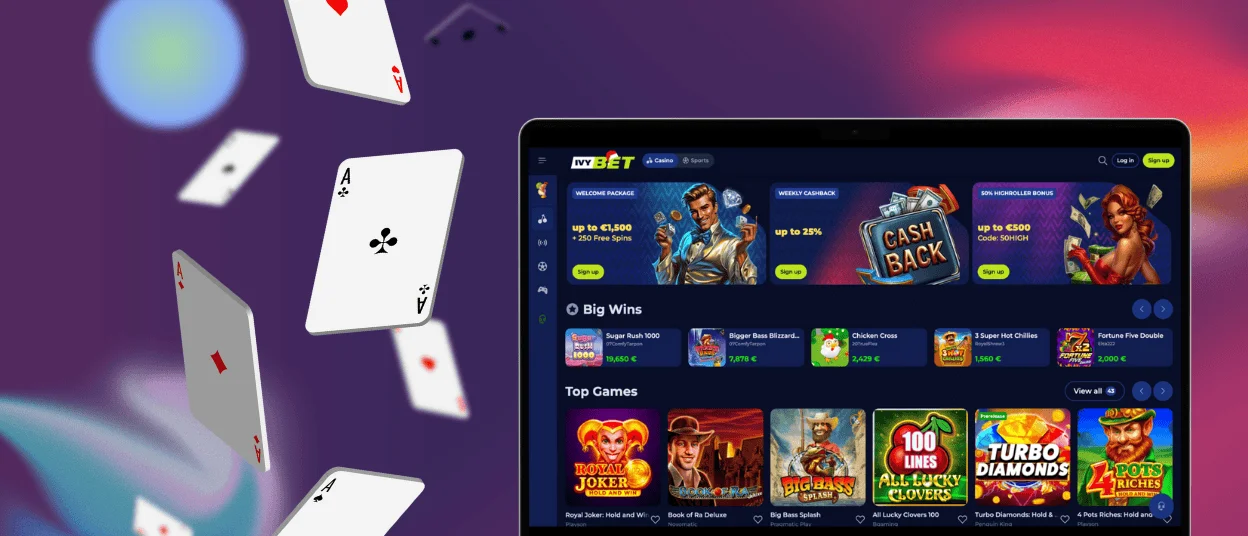
The Ivybet app is a solution not only for small screens but also for traditional desktops. It can be installed on any operating system supported by your device – Windows, Mac or Linux.
There are no big differences in the mobile appearance compared to the Ivybet Casino website. However, the interface is more like modern applications: there’s no address bar or extra tabs. So you can really get into the game – nothing distracts you from playing.
How to Install the Ivybet App on Any Device
No matter how tech-savvy you are, the Ivybet app installation process is so simple that any user can handle it. To get the software, open our website on your phone, tablet or desktop – you must do it from the device on which you plan to install the application:
- Find the icon labeled “Casino App” at the bottom of the main page and click or tap it.
- In the window that opens, select the “Install” button.
- Wait a minute – in the meantime, you can read reviews from real Ivy Bet app users.
- Go to your device’s menu and find the new shortcut.
- Click it and continue playing without browser restrictions.
The main advantage of the Ivybet app is that you can use the same version on all devices. So you don’t need to look for separate software for your operating system.

FAQ
Can I install the app without registering?
You can get the app on your device first and then complete the registration at Ivybet Casino. Also, through the software, you can upload documents needed for the verification process – just tap the live chat button to contact our support team.
Are demo versions available in the app?
Yes, our solution offers the same demo versions as the Ivybet Casino website. For example, we have a wide selection of trials for online slots.
Can I play on two devices at the same time?
We don’t recommend you do this. Such actions may be taken as suspicious activity, so your Ivybet Casino account may be blocked for security reasons.


